

The Digital Actor's Studio • Segment 05: Texture Fidelity & Up-Rendering
Upscaling makes images prettier. Up-rendering makes characters believable. These are not the same thing.

Segment 1 • Character Bible • Visual DNA (Character)
Segment 2 • Environmental Storytelling (World)
Segment 3 • a • Audio + b • Acting (Performance)
Segment 4 • Narrative Pacing (Cinematography)
In a standard AI workflow, upscaling is treated like a digital facelift — an automated process to make an image smoother, larger, and cleaner…
In Segment 05, we are completely inverting this approach. In my [Hu]man Element framework, up-rendering is treated not as a tool for beautification, but as a tool for believability and emotional retention. Let’s dive into that…
PART I — THE DIRECTORIAL MINDSET
Close-ups don’t show action;
they reveal thought
In Segment 04, I gave you a core cinematography law:
When the camera pushes past mid-shot into a close-up, the audience stops orienting and starts inspecting. If the visual architecture of the skin looks like painted plastic, the narrative spell breaks instantly.
Think about that for a second.
In a wide shot, your audience is reading the scene — space, mood, body language. They’re building their mental map. The AI handles all of that beautifully. It fills the frame. It lands the environment. It hits the emotional key.
Then the camera moves in.
And the audience shifts from reading to reading for truth.
They are now asking, unconsciously and relentlessly: Is this person real? Do they carry weight? Has anything happened to them?
A flawless face answers: no.
This is the trap that swallows entire productions. Most creators reach for an upscaler and ask it to fix what looks broken — more resolution, sharper edges, cleaner skin. The image comes back pristine.
And somehow, impossibly, less believable.
You’ve optimized for quality when what the story needed was evidence.
The AI Influencer pipeline treats upscaling as cosmetic surgery.
Smooth the pores. Even the skin tone. Remove the asymmetries. Tighten the jaw. The output is technically impressive and emotionally vacant — an avatar that looks like it was assembled rather than lived in.
The Digital Actor’s Studio treats up-rendering as excavation.
Your job is not to make Brad look better. Your job is to make Brad look true.
A Close-Up Is a Confession Booth
Think about what’s happening when the camera lands on Brad in the MasterCraft showroom.
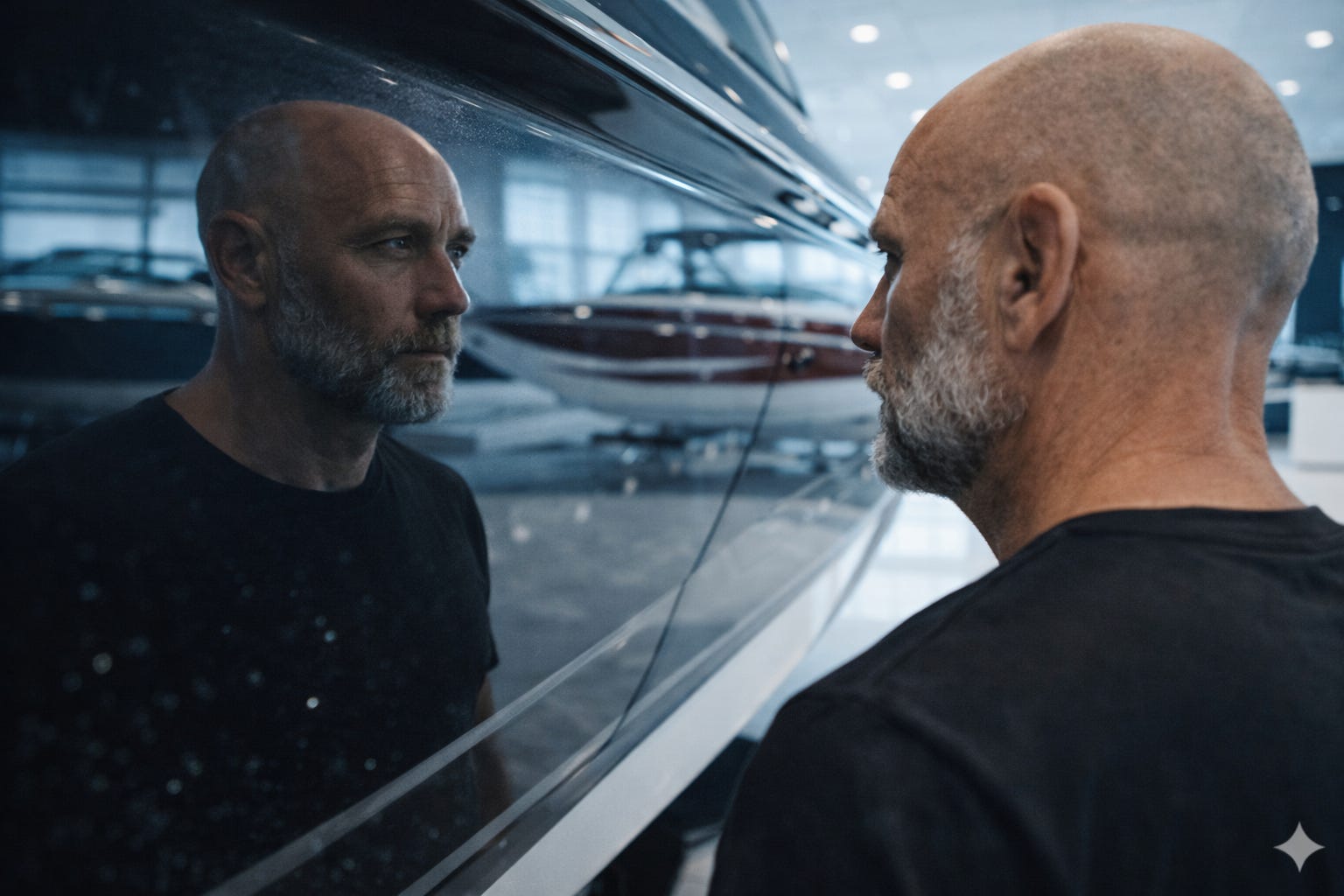
He’s standing in a space that costs more per square foot than his entire workshop. The fiberglass hull beside him is $200,000 of perfect geometry. The showroom light is diffused, corporate, engineered to flatter the merchandise.
And Brad is not merchandise.
If the audience can see the contrast — the liquid-smooth hull or the pristine stitched performance fabrics against the rough, deeply embedded engine grease still lining his knuckles — they feel his displacement without a single word of dialogue.
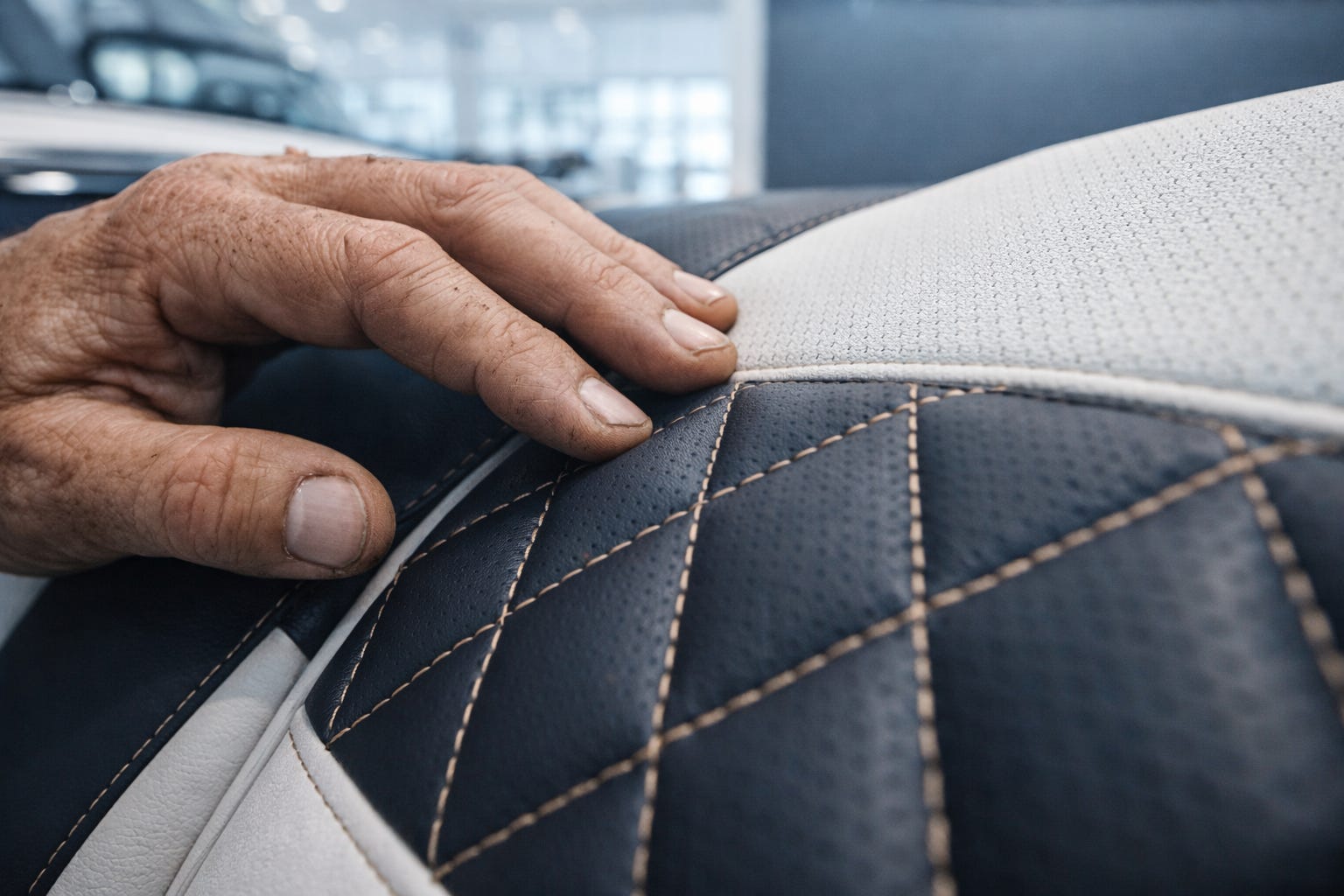
That contrast is not scenic. It’s psychological.
But it only works if the grease is real. If the skin shows actual history. If the lines on his face look like fifty years of weather and worry rather than a texture filter applied at 40% opacity.
The close-up is where your character either earns the audience’s belief or loses it forever. You do not get a second pass.
The Uncanny Valley Has a Back Door
Most discussions about the Uncanny Valley focus on the frontal approach — the face that almost looks human but doesn’t quite cross the line. That’s a known problem with known solutions.
What nobody talks about is the back door.
Standard AI upscalers push characters backward through the Uncanny Valley. They strip the micro-texture — the sweat on the brow, the three-day stubble split ends, the slight capillary redness at the bridge of the nose — and replace it with a smooth, mathematically ideal surface.
The result is a character who is technically higher resolution but emotionally less human.
More pixels. Less person.
This is the Plastic Mask problem. And it is the most common production mistake made by talented creators who understand everything about consistency and nothing about texture as narrative.
The [Hu]man Element Thesis for Segment 05
You are not upscaling your asset.
You are anchoring your actor.
Every micro-detail you deliberately inject — every pore, every scar, every fabric weave — serves two purposes simultaneously.
First: it builds emotional credibility. The audience’s nervous system registers physical evidence of a life lived. They believe Brad before he speaks a word.
Second: it builds what I call a Temporal Shield — a dense geometric map that gives downstream video tools something structural to grip. When Kling 3.0 or Runway Gen-4.5 starts moving Brad through a subtle head turn, those tools need anchor points. Without them, they hallucinate. The face drifts. The jaw line migrates. The character melts.
High-fidelity micro-texture is not just aesthetically valuable. It is technically protective.
The work you do in this segment is the work that lets Segment 08 (Motion Transfer) actually function.
What follows behind the paywall is the full operational framework — the Anti-Beautification prompting blueprint, the Multi-Pass Overlay Technique for re-anchoring Brad’s signature scar under showroom light, and the exact export specifications that prepare your up-rendered stills for motion synthesis without hallucination drift.
PART II — THE AI WORKBENCH
The Digital Actor’s Studio is a paid series in the AI LAB for storytellers building with AI. New segments drop every week. Subscribe to access the full workbench.
